The Chrome Extension That Makes Google Sheets Embeds Instant
The Chrome Extension That Makes Google Sheets Embeds Instant
If you regularly embed Google Sheets data on websites — for clients or your own projects — you know the workflow: open the sheet, copy the URL, go to your embed tool, paste the URL, style the table, copy the embed code, go back to your website builder, paste the code. Repeat for every table.
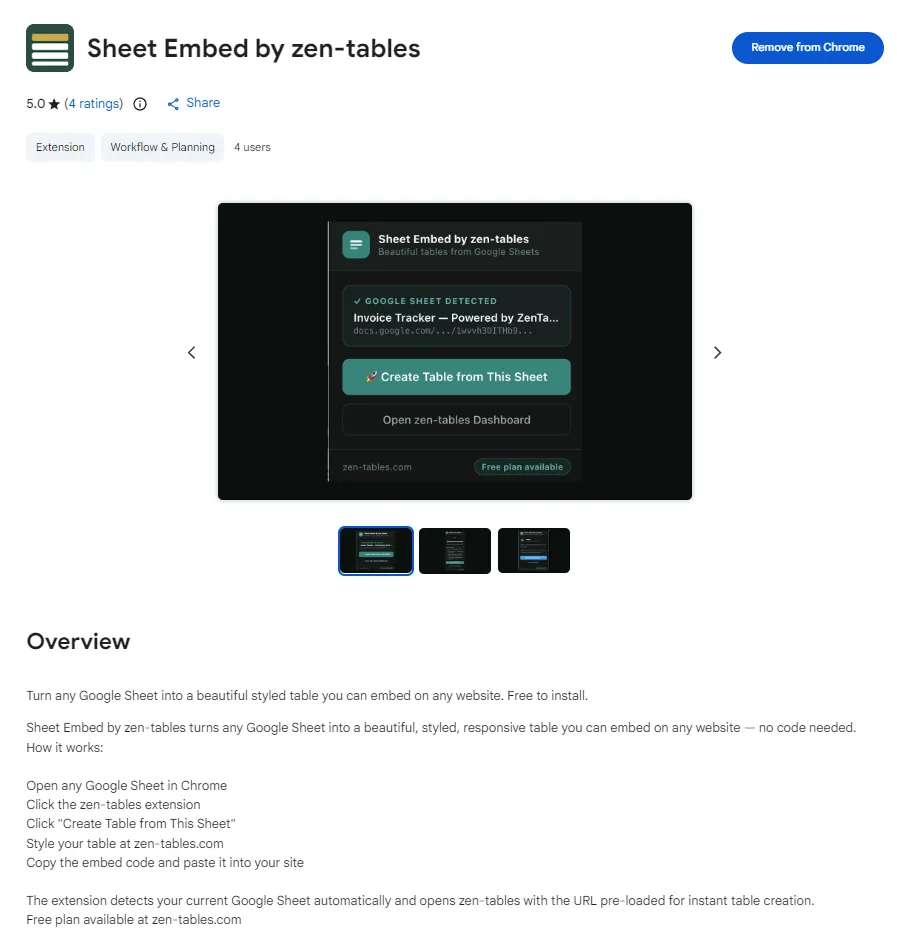
The Sheet Embed by zen-tables Chrome extension cuts that process down to one click.
How It Works
The extension lives in your Chrome toolbar. When you're on a Google Sheet, it detects the sheet automatically — no copy-pasting the URL. Click the extension icon, click Create Table from This Sheet, and zen-tables opens in a new tab with the sheet URL already loaded. You go straight to styling and generating your embed code.
It also works when you're on a site builder. If you're on Framer, Webflow, GoHighLevel, WordPress, Wix, Squarespace, or Shopify, the extension detects which platform you're on and shows you a contextual tip about how to embed a zen-tables table on that specific platform.
Step-by-Step
1.Install Sheet Embed by zen-tables from the Chrome Web Store (free)
2.Open any Google Sheet in Chrome
3.Click the zen-tables extension icon in your toolbar
4.Click Create Table from This Sheet
5.zen-tables opens with your sheet pre-loaded and the New Table dialog already open
6.Style your table and click Get Embed Code
7.Paste the code into your website builder
Platform Detection — What It Shows on Each Site
One of the most useful features is contextual platform detection. When you're actively building in a site builder, the extension notices and shows you the exact steps for that platform:
• Framer — tips for the zen-tables Framer Marketplace plugin and Embed component
• Webflow — instructions for pasting into the Webflow Embed element
• GoHighLevel — instructions for the Custom HTML element
• WordPress — shortcode instructions for the free zen-tables plugin
• Wix — HTML iframe widget instructions
• Squarespace — Code block instructions
• Shopify — HTML editor instructions for product and page descriptions
Also Available for Firefox
The Sheet Embed by zen-tables extension is also available on Firefox Add-ons for Firefox users. The functionality is identical — same one-click workflow, same platform detection, same contextual tips.
Who It's For
The extension is most useful for:
• GHL agencies who regularly build client sites and need to embed client data quickly
• Freelance web designers working across multiple platforms and clients
• Webflow and Framer designers who use Google Sheets for client content
• WordPress developers who want to save time on data embedding tasks
• Anyone who embeds Google Sheets tables more than once a week
Frequently Asked Questions
Is the Chrome extension free?
Yes. The extension is completely free to install from the Chrome Web Store. It connects to your zen-tables account, which has a free plan with 3 tables included.
Does the extension work on Brave and Arc browsers?
Yes. Brave and Arc are both built on Chrome's engine and support Chrome extensions natively. Install it from the Chrome Web Store and it works on both browsers immediately.
Does it work on Edge?
Yes. Microsoft Edge also supports Chrome extensions. You can install Sheet Embed by zen-tables from the Chrome Web Store and use it in Edge without any changes.
What data does the extension collect?
The extension only reads the URL and title of your active tab to detect if you're on a Google Sheet or a supported site builder. No data is stored, transmitted, or shared. The full privacy policy is at zen-tables.com/privacy.
Get It Free
Search 'Sheet Embed by zen-tables' in the Chrome Web Store or go directly to the listing. The extension is free and requires a zen-tables account (also free to start) at zen-tables.com.