How to Embed Google Sheets in Webflow Without a Plugin
How to Embed Google Sheets in Webflow Without a Plugin
Webflow is one of the most powerful no-code website builders available — but displaying live Google Sheets data on a Webflow site is surprisingly unintuitive. Building a full Webflow Marketplace app requires OAuth, a backend server, and a multi-week review process. There's a much simpler approach.
Why Raw Google Sheet Embeds Don't Work
You can paste a Google Sheets share link into Webflow's Embed element — but what you get is the raw Google Sheets UI. Grid lines, formula bars, column letters. It looks nothing like your site, isn't styled, and isn't mobile-friendly.
The Better Approach: zen-tables
zen-tables connects to your Google Sheet and generates a styled, responsive table with a simple iframe embed code. Paste that into Webflow's Embed element and you're done. The table updates automatically whenever the sheet changes.
Step-by-Step Guide
1.Go to zen-tables.com and sign in or create a free account
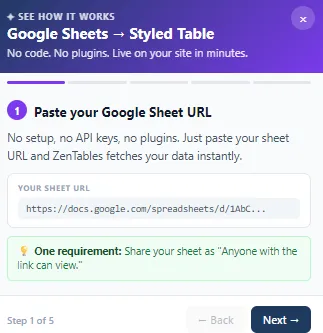
2.Click New Table and paste your Google Sheet URL
3.Style your table — colors, fonts, headers — to match your Webflow site
4.Click Get Embed Code and copy the iframe snippet
5.In Webflow Designer, drag an Embed element onto your page
6.Click the Embed element and paste your iframe code into the HTML field
7.Click Save & Close, then publish your Webflow site
Your table is live and updates automatically. No re-publishing in Webflow required.
Use Cases for Webflow Sites
•Agency client listings and directories
•Pricing tables updated via Google Sheets
•Job boards posted by non-technical staff
•Event listings and schedules
Search and Filter
The Pro plan adds a search bar and column filter dropdowns. Visitors can search or filter by any column — perfect for directories, job boards, and product catalogs.
Start Free
zen-tables is free for up to 3 tables. Visit zen-tables.com or see the full guide at zen-tables.com/integrations